
How to Change Default Font in Outlook (Step-by-Step Guide)
How to Change Default Font in Outlook (Complete Guide) Changing the default font in your email can improve readability and give your messages a more professional look. Whether you prefer a clean modern font or a specific style for branding, Outlook allows you to customize your default font settings easily. This guide explains how to […]
Dallas ISD Outlook Login Guide (Access, Setup, and Fixes)
Dallas ISD Outlook: Login, Access, and Troubleshooting Guide Dallas ISD Outlook is the official email system used by students, teachers, and staff of Dallas Independent School District. It is powered by Microsoft Outlook and provides secure communication, calendar access, and collaboration tools. This guide explains how to log in, set up your account, and fix […]
How to Share Calendar in Outlook (Step-by-Step Guide)
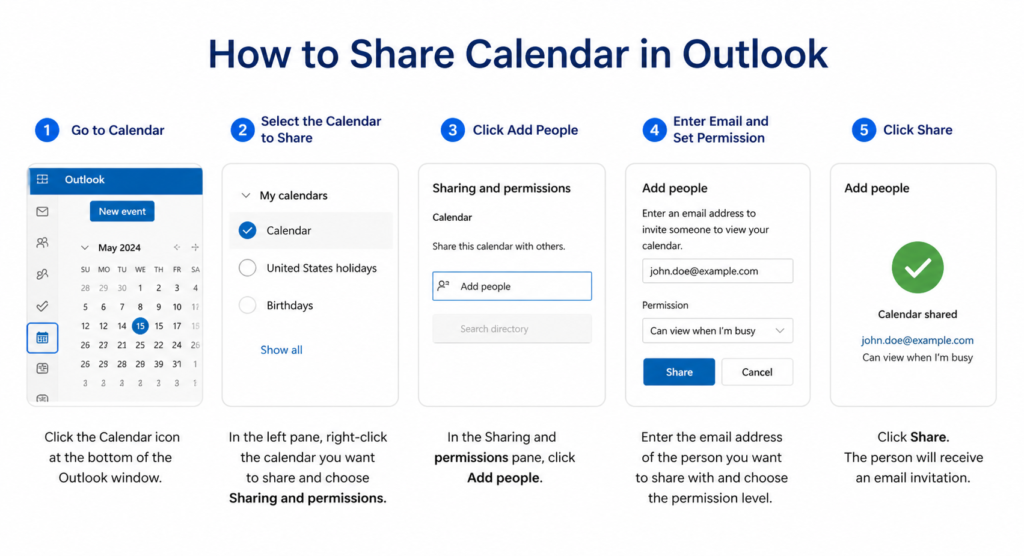
How to Share Calendar in Outlook (Complete Guide) Sharing your calendar helps you collaborate, schedule meetings, and stay organized with your team, family, or clients. Whether you’re using Outlook for work or personal use, the process is simple once you know where to look. This guide explains how to share a calendar in Outlook across […]
Duke Outlook Guide (Login, Features & Fixes Explained)

Duke Outlook: Complete Guide to Email, Login, Features, and Troubleshooting (2026) Introduction Duke Outlook is the official email and communication platform used by Duke University for students, faculty, and staff. It is powered by Microsoft Outlook and integrated into the Microsoft 365 ecosystem, making it a secure and reliable system for academic and administrative communication. […]
How to Set Out of Office in Outlook (Easy Auto Reply Guide)
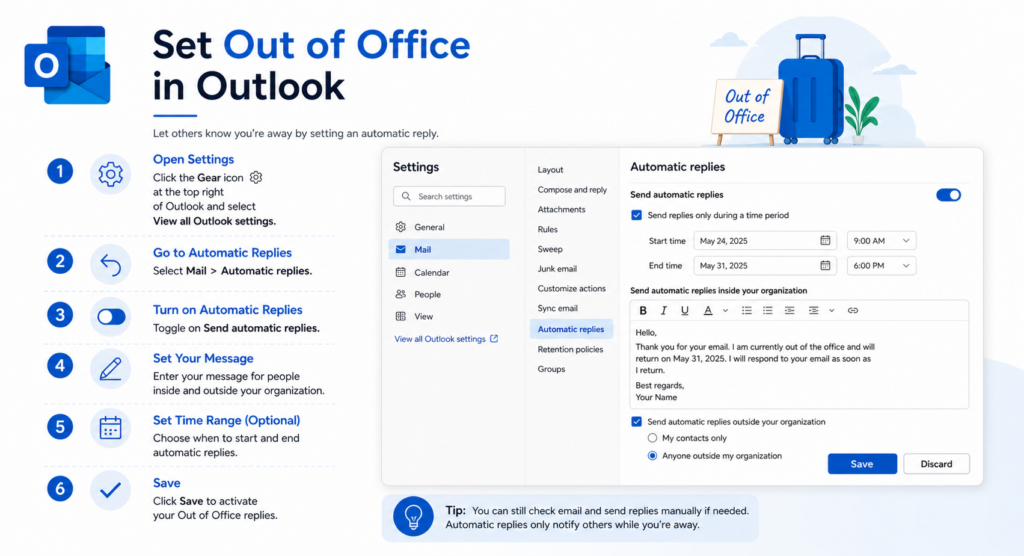
What Is an Out of Office Reply? An Out of Office reply is a short email that Outlook sends for you when you are away. It tells people you will answer later. You can turn it on for a holiday, a sick day, or a work trip. It is easy to set up. Tip: You […]
How to Change Signature in Outlook (Quick & Easy Guide)

How to Change Signature in Outlook (Step-by-Step Guide) Introduction Your email signature is more than just a name. It represents your identity, brand, and professionalism. If you want to update your contact details, add a logo, or create a cleaner look, knowing how to change signature in Outlook is essential. The process is simple, but […]
How to Recall an Email in Outlook (Easy Step-by-Step Guide)
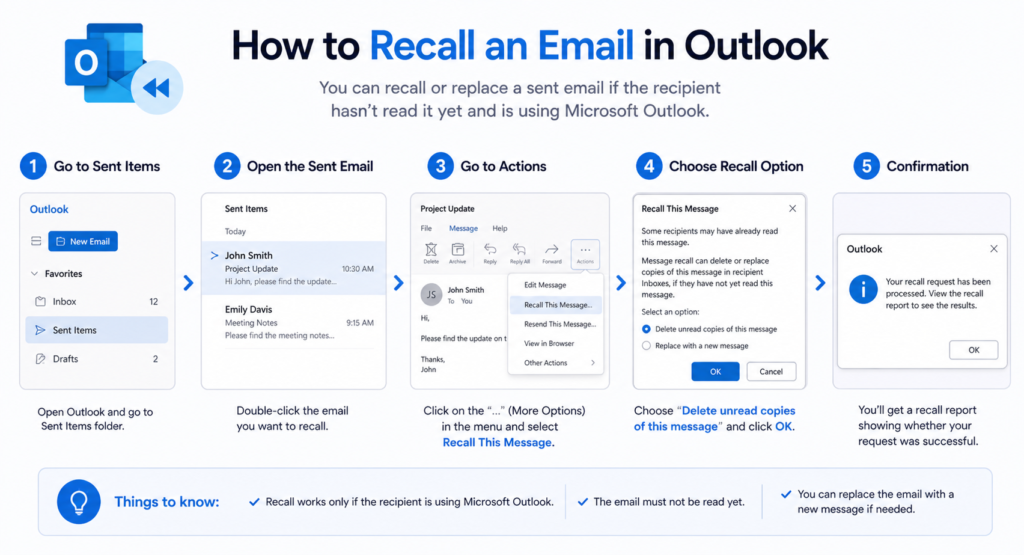
What Is Email Recall? Email recall is a tool in Outlook. It lets you try to take back an email after you press Send. You can pull the email back, or you can send a fixed copy in its place. This helps a lot when you make a small mistake. Maybe you wrote the wrong […]
15+ Issues with Yahoo Mail (Fix Guide 2026
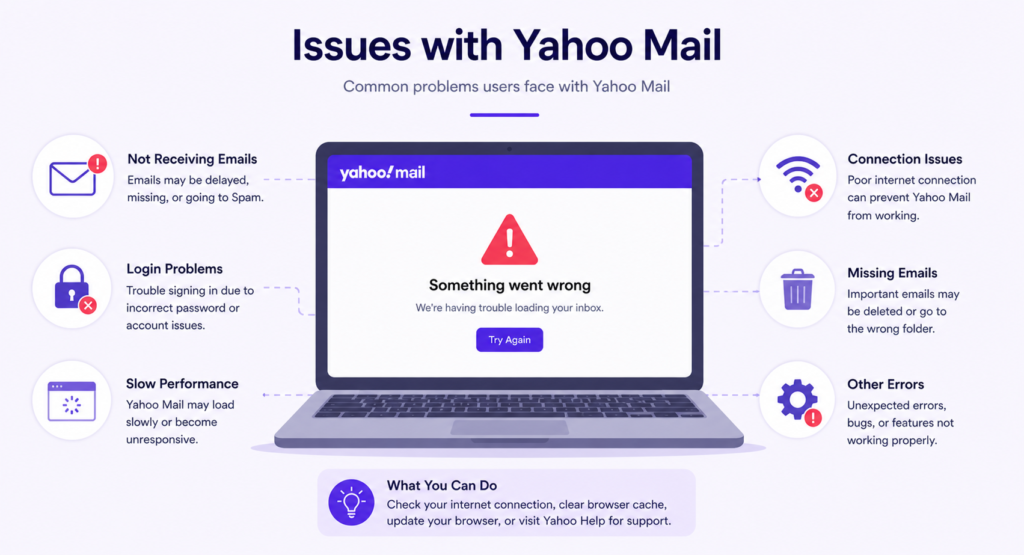
Common Yahoo Mail Problems Yahoo Mail is used by many people. But sometimes it stops working. Here are the most common problems and easy fixes. First Step: Refresh the page. Then clear your browser cache. This fixes many small issues. Problem 1: Yahoo Mail Will Not Load If the page is blank or stuck, try […]
How to Switch Back to Yahoo Mail Classic (Is It Still Possible?)
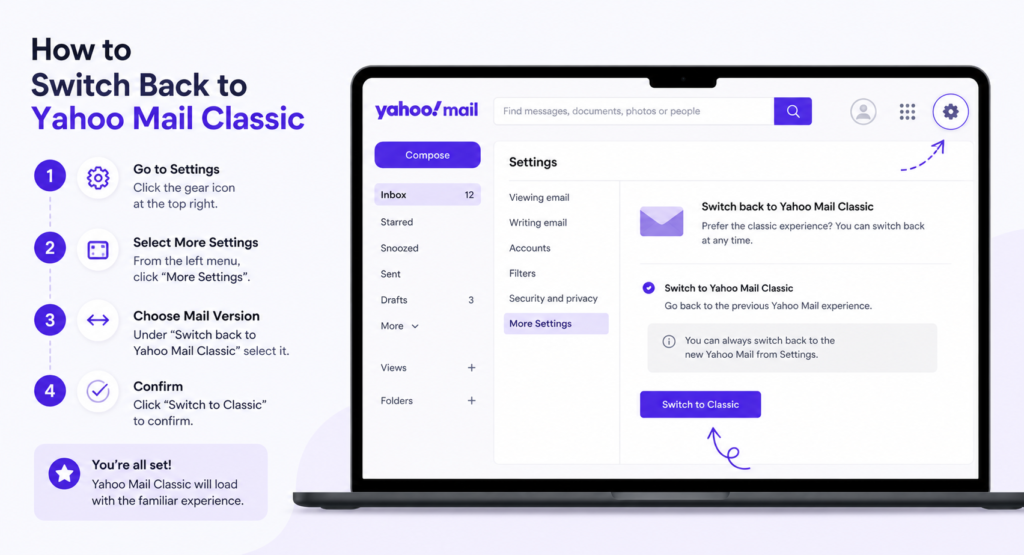
How Can I Switch Back to Yahoo Mail Classic? Many users search for Yahoo Mail Classic because they prefer its simple layout and lightweight design. However, the ability to switch back depends on whether the old version is still supported. Yahoo has fully transitioned to its modern interface under Yahoo, and the classic version is […]
How to Change Yahoo Mail Password (Step-by-Step Guide)
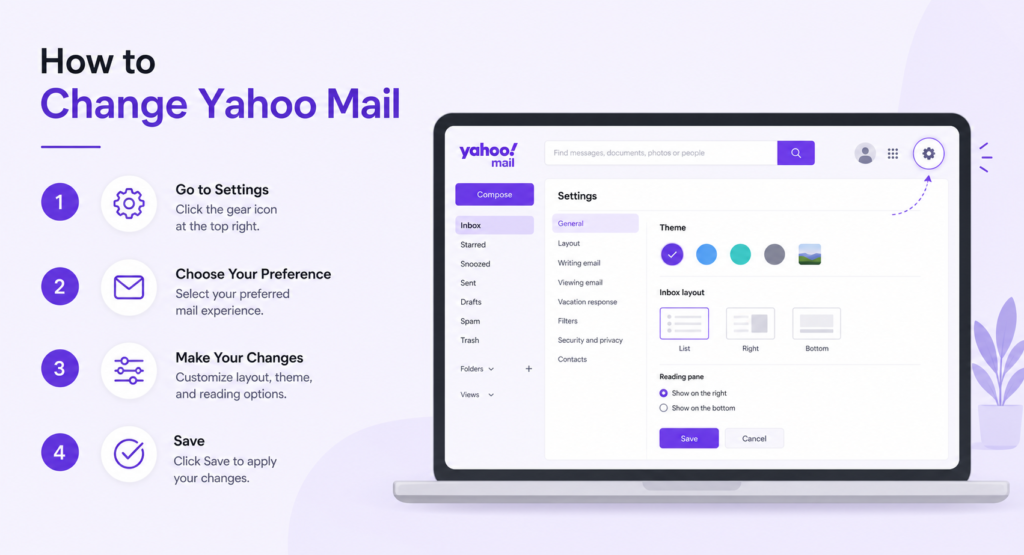
How to Change Yahoo Mail Password (Complete Guide) Changing your email password regularly is one of the best ways to keep your account secure. If you suspect unauthorized access or simply want better protection, updating your Yahoo Mail password is essential. This guide explains how to change your Yahoo Mail password on desktop and mobile […]